
Affiliate disclosure: This guide contains no affiliate links.
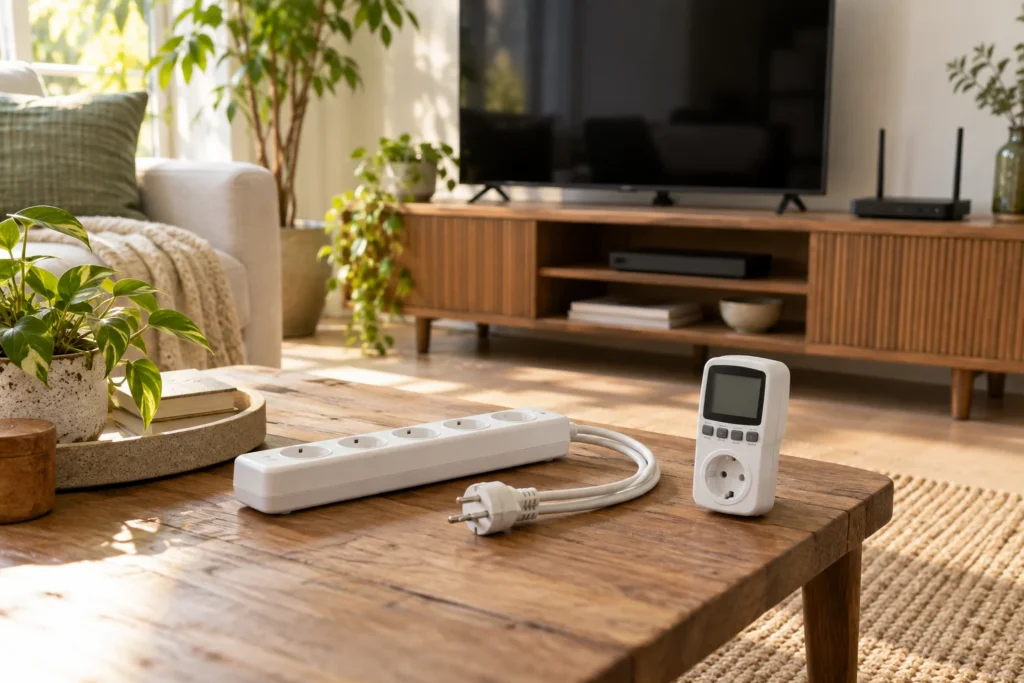
AI-generated editorial illustration. The scene is illustrative; it does not depict a FoxyEco product test or the exact appearance of a recommended model.
If the TV remote still wakes the screen after you “turned everything off,” that stack is still drawing power. Same pattern for a soundbar in standby, a console waiting for updates, a printer that keeps a network handshake, or a charging dock with an LED that never sleeps. People call it phantom load or vampire power. You do not need a new smart-home ecosystem to deal with it. You need a short candidate list, a plug-in meter, and a clear rule about what must stay on.
This guide is a weekend standby audit: what to measure, how long to leave the meter running, how to turn watt-hours into a dollar figure you can believe, and which loads you should leave alone even if the display shows a few watts.
Build a candidate list before buying another gadget
Walk one room with a notepad. Write the device, the outlet, and whether anyone needs it overnight. A living-room stack often looks like TV, streaming stick, soundbar, console, and a nearby modem. An office corner may hold a monitor, dock, speakers, and a printer that “sleeps” with a glowing logo.
Cross essentials off the switching list first: refrigerator, freezer, sump pump, medical devices, hardwired alarms, and network gear that keeps work or cameras online. Cutting standby on a TV is not the same project as cutting power to a fridge. If you are unsure whether a device can lose power overnight, leave it out until you read the manual.
Note shared dependencies. If the Wi‑Fi router feeds laptops and cameras, treating it as “just another idle box” creates more problems than savings. Mark those always-on until you have a deliberate backup plan.
Measure time, not one glamorous watt snapshot
Use a plug-in energy meter rated for your voltage and the load type. Plug the meter into the wall, plug the device into the meter, and leave the device in the state you care about—“off by remote,” sleep, or idle with network on. Write the start time and the meter’s accumulated kilowatt-hours.
A single momentary watt reading is almost useless for a cycling device. A console that updates at 3 a.m. can look idle at 8 p.m. U.S. Department of Energy standby guidance emphasizes time-based observation when power fluctuates. For a first pass, leave the meter on for 24 hours while the household uses the room normally. Extend to 48–72 hours if day one included unusual streaming or gaming.
If the display shows 0.00 W, treat that as “below this meter’s useful resolution,” not laboratory proof of zero. Many inexpensive meters struggle with very small loads.
Turn the reading into money with transparent arithmetic
Suppose the meter shows 0.072 kWh after 24 hours in standby (equal to a constant 3 W load: 3 W × 24 h = 72 Wh). At $0.20/kWh, that day costs about $0.014. Over 365 identical days you would get roughly 26 kWh and about $5.30/year. Use the rate from your own bill—time-of-use tariffs change the math.
Stack devices. If a TV reads 0.05 kWh/day in “off,” a soundbar 0.03, and a console 0.08, the shelf alone is ~0.16 kWh/day ≈ $11.70/year at $0.20/kWh. Not a crisis, but a real number you can compare with a smart plug or switched strip. Write the assumptions beside the total: tariff, observation length, device state, and whether anyone used the device mid-test.
Decide what “off” should mean in your house
Pressing the remote is not the same as removing power at the outlet. Clocks, wake-on-network features, and USB ports keep sipping. One practical pattern: put the whole entertainment or charging shelf on one switched strip or smart plug that cuts power when you sleep or leave—while leaving always-on outlets for the router or DVR if those must stay alive.
Before you automate, check what power loss does. Some TVs forget inputs. Printers may recalibrate. Consoles may resume a large download. Test one low-risk device for a few evenings. If startup becomes annoying, keep that device live and switch only the accessories around it.
Do not put a heater, aquarium equipment, refrigerator, or other safety-critical continuous load on a casual schedule. A mobile app is not a substitute for the appliance’s own controls.
Count the controller’s cost before you buy one
A $20–$25 smart plug chasing an illustrative $5/year load on a single clock radio is a long payback. The plug uses a little energy itself and may need an app and updates. A mechanical power strip you flip every night can be enough for one shelf.
Automation helps when habits fail. Families forget to unplug. One rule—“entertainment strip off at 11:30 p.m., on at 6:30 a.m.”—often beats reminders. Advanced strips that cut accessory outlets when the TV drops below a threshold solve the same problem without a phone, if the strip’s instructions match your loads.
If the measured shelf is already under a few dollars a year and you dislike app maintenance, stop. The audit succeeded by showing the load is small.
Change one setting, then re-measure
Before buying hardware, open device menus. Many TVs and consoles have an energy or network-standby option. Enable one documented setting, then run another comparable 24-hour period. A drop from 0.10 kWh to 0.06 kWh is 0.04 kWh (~$0.008/day at $0.20/kWh)—small, but free if the device still behaves.
Avoid changing five variables at once if you want to know which action worked. Keep a one-line log: date, change, kWh, and any complaints from the household.
Prioritize, then stop chasing tiny loads
After a few evenings you should have three buckets: worth acting on (a multi-device shelf with clear overnight draw and a safe cut-off), leave alone (always-on needs, tiny loads, or devices that misbehave after power loss), and needs documentation (hardwired or confusing manuals). Revisit when you add a console or dock. You do not need to re-audit the same 2 W night-light every month.
Questions people keep asking about standby
Does a glowing clock always mean waste? It means continuous power. Whether cutting it is worth it depends on the measured kWh and whether losing the clock (or the schedule behind it) creates a worse problem—like a coffee maker that no longer starts before work.
Should every outlet become a smart plug? No. Measure first. Automate stacks that show meaningful overnight energy and tolerate power loss. Leave food storage and safety loads alone.
Is a power strip safer than standby? Removing power stops phantom draw only if the strip and outlet are undamaged, rated for the load, and not daisy-chained into a hazard. Follow the strip’s instructions; do not overload it to chase a few watts.
Sources and editorial method
Prepared by FoxyEco editorial from the sources below. Numerical examples state their assumptions and are not measured savings for your devices. Consult the instructions for the exact equipment you own.
- US Department of Energy: standby measurement principles
- US Department of Energy: low-standby purchasing context
Related practical guides
- Smart Plugs: Check the Load Before Automating It
- Measure Your Essential Loads Before Buying Backup Power
Verified Eco Recommendation: Cozeware
Precision environmental meters, moisture sensors, and smart home monitoring hardware.
Explore Cozeware Official Store →